Bookkeeping Health Check: A Client Diagnostic Checklist
12 min read
Last updated: July 2026
A bookkeeping health check is a structured review that helps a bookkeeper diagnose whether a client's books are clean, close-ready, or headed for cleanup.
This checklist is for bookkeepers, bookkeeping firm owners, and small CPA firms managing QuickBooks clients. Use it before onboarding a new client, quoting cleanup work, preparing month-end close, or deciding whether a client is ready for advisory support.
If the health check shows missing receipts, unreconciled accounts, duplicate vendors, unclear categories, or weak document habits, the next step is not guessing. It is a focused cleanup plan. For that, use this alongside the bookkeeping cleanup checklist.
The quick answer: what should a bookkeeping health check include?
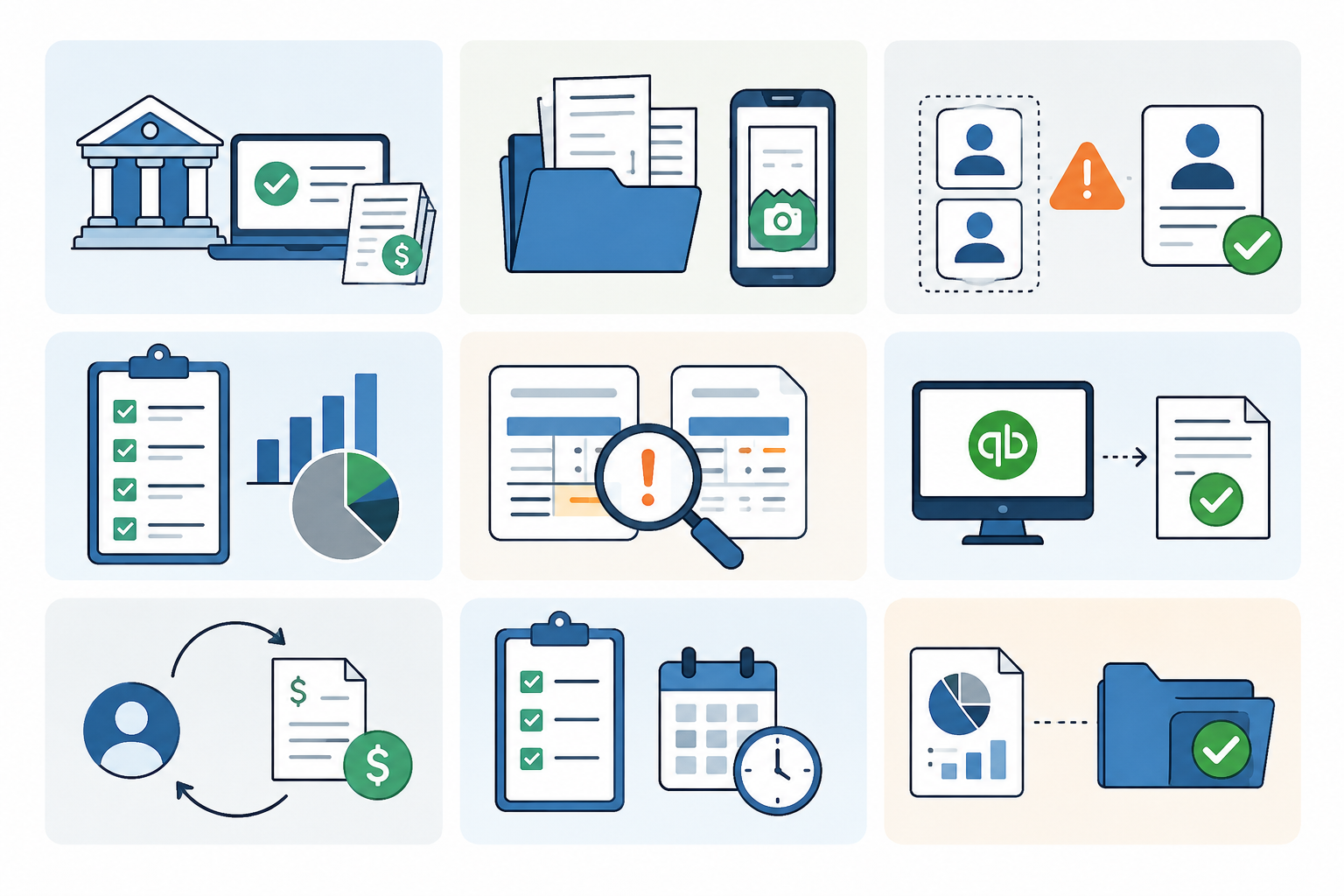
A good bookkeeping health check should review seven areas:
- Bank and credit card reconciliations
- Missing receipts and invoices
- Vendor and customer records
- Categorization and chart of accounts quality
- Duplicate transactions and duplicate vendors
- Accounts receivable and accounts payable accuracy
- Month-end close readiness
The goal is not to make the books perfect in one pass. The goal is to identify risk, separate small fixes from true cleanup work, and give the client a clear next step.
When to run a bookkeeping health check
Run this diagnostic when:
- A prospect asks for monthly bookkeeping
- A client says their books are "mostly caught up"
- You are taking over from another bookkeeper
- The client wants tax-ready financials
- Month-end close keeps slipping
- The client sends receipts late or in random formats
- The balance sheet does not look right
- You suspect duplicate entries or uncategorized transaction buildup
A health check is also useful before sending a proposal. It helps you avoid underpricing messy work.
Bookkeeping health check checklist
Use this checklist to score the client's current bookkeeping file. You can run it as a light review in 30–60 minutes or expand it into a deeper diagnostic for cleanup projects.
| Area to check | Healthy sign | Warning sign | What it usually means |
|---|---|---|---|
| Bank reconciliations | Accounts reconciled through last month | Last reconciliation is several months old | Cleanup may be needed before monthly work begins |
| Credit card accounts | All active cards connected and reconciled | Missing cards, old balances, or unreconciled feeds | Expenses may be incomplete |
| Receipts and invoices | Source documents are attached or easy to access | Client sends documents by text, email, photos, or not at all | Month-end close will depend on chasing |
| Uncategorized transactions | Low volume and easy to resolve | Large "Ask My Accountant" or uncategorized balance | Coding rules or client context may be missing |
| Vendors | Clean vendor list with consistent naming | Duplicate vendors or unclear payees | Reporting and 1099 work may be unreliable |
| Chart of accounts | Simple, consistent, client-appropriate | Too many accounts or vague categories | Financial reports may be hard to interpret |
| Duplicate transactions | Few or none found | Same receipt, bill, or expense appears twice | Review controls are weak |
| Accounts receivable | Open invoices are current and explainable | Old unpaid invoices with no notes | Revenue and collections may be misstated |
| Accounts payable | Open bills match real obligations | Old bills still showing as unpaid | Expenses or liabilities may be wrong |
| Payroll and tax accounts | Balances are explainable | Suspense balances or old liabilities | Needs review before financials are trusted |
| Classes, locations, or departments | Used consistently if needed | Used randomly or not at all | Client-level reporting may be unreliable |
| Month-end process | Repeatable checklist exists | Close depends on memory and client chasing | Work will be hard to scale |
Score the client before you quote the work
A health check should produce a clear score, not just a list of issues.
Use a simple 1–3 rating for each area:
- 3 = Healthy: ready for normal monthly bookkeeping
- 2 = Needs attention: usable, but some fixes are needed
- 1 = Cleanup risk: do not quote as standard monthly work yet
For example:
| Score range | Diagnosis | Recommended next step |
|---|---|---|
| 27–33 | Healthy books | Start or continue monthly bookkeeping |
| 18–26 | Some risk | Fix priority issues before the next close |
| 11–17 | Cleanup likely | Scope cleanup before quoting monthly work |
| 10 or below | High risk | Do a deeper diagnostic before taking the client |
This is not a formal accounting standard. It is a practical operating tool for bookkeeping firms. Adjust the scoring based on client complexity, transaction volume, industry, and how much historical cleanup is required.
Step 1: Check reconciliation status first
Start with reconciliations because they tell you whether the file can be trusted.
Review:
- Last reconciled date for each bank account
- Last reconciled date for each credit card
- Old uncleared transactions
- Duplicate bank feed entries
- Transfers posted as expenses
- Credit card payments coded incorrectly
- Opening balance equity changes
- Manual journal entries affecting cash accounts
If the main operating account is not reconciled, the rest of the file is only partly reliable.
A common mistake is starting with the profit and loss. The P&L may look reasonable while the balance sheet is full of problems. Start with cash, credit cards, and reconciliation history.
Step 2: Review document readiness
Next, check whether the client can support the transactions in QuickBooks.
Look for:
- Missing receipts
- Missing vendor invoices
- Expenses with no attachment
- Bills entered without source documents
- Vendor emails trapped in the client's inbox
- Receipts sent by text message
- Photos with missing totals or cut-off line items
- Documents uploaded after the books are already closed
This is where many monthly bookkeeping problems begin. The issue is not always coding skill. It is document flow.
If documents arrive late, scattered, or incomplete, month-end close becomes a chase cycle. That is why firms often pair this health check with a client document collection workflow.
Step 3: Check transaction coding quality
Review the accounts used for common transactions.
Focus on:
- Meals
- Travel
- Software
- Subscriptions
- Repairs and maintenance
- Owner draws or distributions
- Loan payments
- Payroll-related expenses
- Cost of goods sold
- Reimbursements
- Sales tax payments
Look for patterns. One wrong transaction is a fix. A repeated pattern is a process issue.
Examples:
- Loan payments coded fully to expense instead of split between principal and interest
- Owner draws mixed with payroll expenses
- Software subscriptions split across multiple inconsistent accounts
- Sales tax payments coded as income reductions
- Transfers coded as income or expenses
A health check should identify whether the issue is isolated or systemic.
Step 4: Look for duplicate risk
Duplicate entries are one of the fastest ways to damage trust in a QuickBooks file.
Check for:
- Duplicate vendor names
- Same receipt uploaded more than once
- Same invoice entered as both a bill and an expense
- Bank feed transaction matched to the wrong record
- Manual entry plus bank feed duplicate
- Reimbursable expenses posted twice
- Credit card payments recorded as expenses and transfers
This matters because duplicate problems often hide until reconciliation, reporting, or tax prep.
For document-heavy clients, a review-before-post workflow helps. ScribeosAI is built for bookkeepers who want receipts and invoices collected, extracted with line items and confidence scoring, reviewed by a human, checked for duplicates at the push gate, and then synced to QuickBooks.
That matters most when a firm manages many clients and cannot afford to manually inspect every document thread.
Step 5: Review vendor and customer lists
Messy names create messy reports.
Check for:
- Duplicate vendors
- Vendors with personal names and business names mixed together
- Generic vendors like "Amazon," "Amazon.com," and "AMZN"
- Old inactive vendors still in use
- Customers duplicated by spelling variation
- Missing 1099 vendor details
- Vendor names used in the wrong field
- Employees or owners set up as vendors without clear purpose
Vendor cleanup is not cosmetic. It affects reporting, 1099 prep, duplicate detection, and review speed.
A clean vendor list also helps newer staff review transactions with less back-and-forth.
Step 6: Review AR and AP aging
If the client uses invoices or bills, review aging reports early.
For accounts receivable, check:
- Old invoices still open
- Customer credits sitting unused
- Payments not matched to invoices
- Bad debt not reviewed
- Negative customer balances
For accounts payable, check:
- Old bills still unpaid
- Duplicate bills
- Vendor credits not applied
- Bills paid outside QuickBooks
- Expenses posted directly instead of entered as bills when AP tracking is needed
A client may say "we are caught up" because bank feeds are categorized. But if AR or AP is wrong, the books are not close-ready.
Step 7: Check class, location, and project tracking
If the client uses classes, locations, or projects, check consistency.
Ask:
- Are classes required for every transaction?
- Are locations used the same way each month?
- Are projects tied to the right income and expense activity?
- Are uncategorized class reports reviewed before close?
- Are rules creating wrong class assignments?
This matters for clients who rely on location, department, property, franchise, job, or project profitability reporting.
If tracking categories are used inconsistently, advisory reports can be misleading.
Step 8: Review month-end close readiness
The final question is simple: can this client close the month without heroics?
Review whether the bookkeeper has:
- All bank and credit card statements
- All major receipts and vendor invoices
- A clean list of open questions
- Reconciled cash and credit card accounts
- Reviewed uncategorized transactions
- Checked duplicate risk
- Reviewed AR and AP aging
- Posted required adjustments
- Saved support for material transactions
- Delivered financials on a repeatable timeline
If the answer is no, the client may not need more reminders. They may need a better document workflow and clearer close expectations.
For a more formal client intake process, pair this with the bookkeeping client onboarding checklist.
What to tell the client after the health check
Do not send the client a long technical dump. Give them a plain-English diagnosis.
Use this structure:
- What looks healthy
- What needs attention
- What creates reporting or tax risk
- What must be fixed before monthly bookkeeping starts
- What you need from the client and by when
Example:
"Your bank accounts are reconciled through last month, which is a good sign. The main issue is document support. Many expenses do not have receipts attached, and several vendor invoices are missing. Before we can close the month reliably, we need a consistent way to collect documents and review missing items before posting."
This keeps the conversation practical. It also helps the client understand why cleanup or workflow changes cost money.
Where automation helps
Automation helps most when the issue is repeated document work, not judgment.
A tool like ScribeosAI can help with:
- Collecting client receipts and invoices
- Extracting vendor, date, total, tax, and line-item details
- Flagging low-confidence fields for review
- Keeping humans in the review step before posting
- Checking for duplicates before syncing to QuickBooks
- Reducing repetitive manual entry across many clients
This is especially useful for firms managing multiple QuickBooks clients because per-client document chaos does not scale well.
ScribeosAI is not the right fit for every issue found in a health check. If the main problem is historical reconciliations, payroll setup, sales tax configuration, chart of accounts redesign, or advisory reporting structure, those still require bookkeeping judgment and cleanup work.
The strongest fit is document-heavy QuickBooks work where receipts and invoices need to move from client submission to reviewed QuickBooks entry with less manual handling.
For more on the QuickBooks workflow, see QuickBooks receipt scanner and receipt scanner for bookkeepers.
Where human review still matters
Human review still matters for:
- Category judgment
- Client-specific coding rules
- Loan and payroll treatment
- Owner transactions
- Sales tax decisions
- Class and location logic
- Cleanup scope
- Final month-end review
A good workflow does not remove the bookkeeper. It removes repetitive entry and gives the bookkeeper a cleaner review queue.
That is why ScribeosAI uses a review-before-post workflow instead of pushing every extracted item straight into QuickBooks without review.
Common mistakes to avoid
Mistake 1: Quoting monthly bookkeeping before checking cleanup risk
A client may look simple during the sales call. The QuickBooks file may tell a different story.
Run the diagnostic before you price the work.
Mistake 2: Treating missing receipts as a small admin issue
Missing documents slow down close, weaken audit trails, and create rework. If the client does not send receipts on time, make that a workflow issue, not a monthly surprise.
For help collecting documents, see how to collect receipts from clients.
Mistake 3: Ignoring the balance sheet
The P&L may look fine while the balance sheet has old liabilities, unreconciled accounts, duplicate assets, or unexplained balances.
Mistake 4: Fixing symptoms without fixing intake
If documents are still scattered across email, text, uploads, and screenshots, cleanup will repeat itself.
Mistake 5: Closing without a review queue
Bookkeepers need a place to review low-confidence fields, duplicate risk, missing support, and open questions before final posting.
Proof: document workflow can change capacity
VNB Consulting reduced manual data entry time by nearly 90% using ScribeosAI.
ScribeosAI is also used by Diya Hospitality.
The reason this matters for a bookkeeping health check is simple: many client problems are not caused by one bad month. They are caused by repeated document collection and entry friction. When that workflow improves, the bookkeeper has more time for review, cleanup, reconciliation, and client guidance.
Bookkeeping health check template
Use this version as a working checklist.
Client file basics
- QuickBooks file access confirmed
- Correct company file reviewed
- Accounting method confirmed
- Fiscal year confirmed
- Bank accounts listed
- Credit cards listed
- Loans listed
- Payroll provider confirmed
- Sales tax setup reviewed, if applicable
Reconciliations
- Main operating account reconciled
- Savings accounts reconciled
- Credit cards reconciled
- Old uncleared transactions reviewed
- Bank feed duplicates checked
- Opening balance equity reviewed
- Transfers reviewed
Documents
- Receipt submission process reviewed
- Vendor invoice process reviewed
- Missing documents identified
- Attachment habits reviewed
- Client deadline confirmed
- Open document questions listed
Transaction quality
- Uncategorized transactions reviewed
- Ask My Accountant balance reviewed
- Common expense categories checked
- Owner transactions reviewed
- Loan payments reviewed
- Payroll entries reviewed
- Sales tax payments reviewed
Vendors and customers
- Duplicate vendors checked
- 1099 vendor records reviewed
- Customer duplicates checked
- Old inactive names reviewed
- Generic vendor names reviewed
AR and AP
- AR aging reviewed
- Old invoices reviewed
- Customer credits reviewed
- AP aging reviewed
- Old bills reviewed
- Vendor credits reviewed
- Duplicate bills checked
Reporting readiness
- Balance sheet reviewed
- Profit and loss reviewed
- Prior period comparison reviewed
- Class or location reports reviewed, if applicable
- Suspense accounts reviewed
- Negative balances investigated
- Large unusual transactions reviewed
Month-end readiness
- All statements received
- All major documents received
- Open questions listed
- Reconciliations complete
- Duplicate risk reviewed
- Adjustments posted
- Reports ready for review
- Client delivery date confirmed
Final recommendation
A bookkeeping health check should give you a clear answer: this client is ready for monthly bookkeeping, needs a few fixes, or requires cleanup before the work can be priced safely.
Use the checklist before onboarding new clients, before quoting cleanup, and before relying on month-end reports.
If the biggest issue is missing receipts, scattered invoices, duplicate document entry, or manual posting into QuickBooks, ScribeosAI may fit the workflow. It gives bookkeepers client document collection, line-item extraction, confidence scoring, human review, duplicate detection, and QuickBooks sync in one QuickBooks-first process.
FAQ
What is a bookkeeping health check?
A bookkeeping health check is a diagnostic review of a client's books to identify reconciliation gaps, missing documents, coding problems, duplicate risk, and month-end close readiness.
When should a bookkeeper run a health check?
Run one before onboarding a new client, quoting cleanup work, taking over a QuickBooks file, preparing tax-ready books, or starting monthly bookkeeping.
How is a bookkeeping health check different from cleanup?
A health check diagnoses the problems. Cleanup fixes them. The health check helps define the scope, risk, and price of the cleanup work.
What should be included in a client bookkeeping diagnostic checklist?
Include reconciliations, missing receipts, vendor records, chart of accounts quality, duplicate transactions, AR/AP aging, reporting readiness, and month-end close status.
Can a bookkeeping health check help price cleanup work?
Yes. It helps separate normal monthly bookkeeping from catch-up work, cleanup risk, and client document issues that require extra time.
What is the biggest warning sign in a QuickBooks health check?
Unreconciled bank or credit card accounts are one of the biggest warning signs because they affect the reliability of the entire file.
Where does receipt automation fit into a bookkeeping health check?
Receipt automation helps when the diagnostic shows missing documents, late client submissions, duplicate entries, or too much manual data entry.
Is ScribeosAI right for every bookkeeping health issue?
No. ScribeosAI is best for QuickBooks-first receipt and invoice workflows. Historical cleanup, payroll setup, tax configuration, and chart of accounts redesign still need bookkeeping judgment.