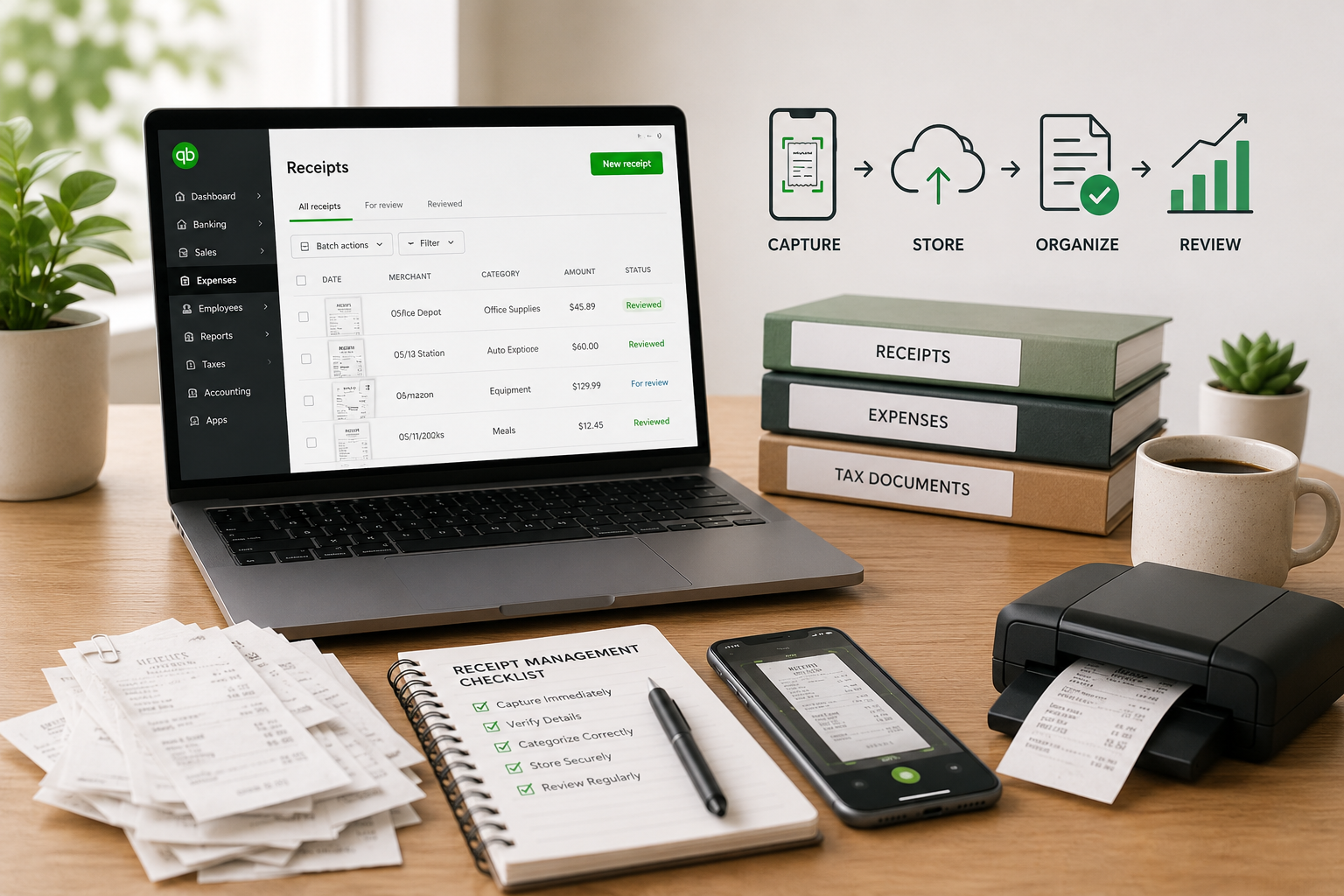
QuickBooks Receipt Management Best Practices for Bookkeepers and Small Businesses
5 min read
QuickBooks receipt management sounds simple until receipts start coming from everywhere.
A client emails one invoice. Another sends a photo by text. A vendor receipt is buried in someone's inbox. A paper receipt sits in a wallet. By the time month-end arrives, the bookkeeper has the bank transactions in QuickBooks, but the supporting documents are missing, scattered, or difficult to match.
That is why receipt management matters.
For bookkeepers, accountants, CPA firms, and small businesses using QuickBooks, a strong receipt management process can reduce month-end stress, improve recordkeeping, and make reconciliation easier.
This guide explains practical QuickBooks receipt management best practices you can use today.
What Is QuickBooks Receipt Management?
QuickBooks receipt management is the process of collecting, storing, reviewing, and attaching receipts to the right accounting records in QuickBooks.
It includes:
- Collecting receipts from clients or employees
- Uploading receipts into a central place
- Extracting vendor, date, amount, and tax details
- Reviewing the information for accuracy
- Matching receipts to bank or credit card transactions
- Attaching documents to QuickBooks records
The difference between simple receipt capture and real receipt management is the full workflow — from collection to QuickBooks review.
Why Receipt Management Gets Messy
Receipts come from too many places: email, paper, phone photos, PDFs, vendor portals, online marketplaces, and text messages.
When receipts arrive through multiple channels, bookkeepers spend time finding documents before the actual bookkeeping can begin. This creates problems:
- Month-end close takes longer
- Clients get repeated follow-up emails
- Transactions remain uncategorized
- Receipts are attached late or not at all
- Tax records become harder to support
A good QuickBooks receipt management process fixes the workflow before the books become messy.
Best Practice 1: Create One Receipt Intake Process
Stop accepting receipts everywhere.
Instead, create one approved receipt intake process. That might be a dedicated email address, a client upload link, a QuickBooks receipt scanner, or a document processing tool.
The method is less important than consistency.
Tell clients: "Please send all receipts and invoices through this upload process. This helps us attach the right documents in QuickBooks and avoid missing items at month-end."
Best Practice 2: Collect Receipts Throughout the Month
Waiting until month-end is why receipt management fails.
By then, receipts are lost, forgotten, faded, or buried in an inbox.
A better process: collect receipts throughout the month. For low-volume clients, weekly submission works. For high-volume businesses, daily or same-day receipt upload is better.
Simple rule: "If you spend money for the business, send the receipt the same day."
Best Practice 3: Separate Receipts, Bills, and Invoices
Receipts, bills, and invoices are related but handled differently.
- A receipt proves payment already happened
- A bill may need to be entered, approved, and paid
- An invoice may have vendor terms, due dates, and line items
Clearly separate these document types. A stronger QuickBooks document management process makes this easier because documents are organized by type and status.
Best Practice 4: Review Before Posting to QuickBooks
Receipt automation saves time, but it should not remove review.
Before a receipt is posted or attached in QuickBooks, confirm:
- Vendor name
- Transaction date
- Total amount
- Sales tax
- Expense category
- Duplicate status
- Whether the receipt matches the bank transaction
A tool can extract data, but bookkeeping still requires judgment.
Best Practice 5: Track Missing Receipts and Duplicates
Generic follow-up messages do not work. Specific follow-up is better.
Instead of "Please send missing receipts," say: "We are missing receipts for Staples on March 3, Office Depot on March 10, and FedEx on March 15."
Also check for duplicates before attaching receipts. A client may email the same receipt twice or upload both a photo and PDF.
When receipts come into one workflow, tracking and duplicate handling become easier.
Best Practice 6: Attach Receipts to the Right QuickBooks Records
A receipt is most useful when connected to the right accounting record — an expense, bill, credit card transaction, or vendor record.
This matters because someone may later ask:
- What was this expense for?
- Was this business-related?
- Can we prove the transaction?
If the receipt is properly attached, the answer is easy to find.
Best Practice 7: Choose the Right Tool for Your Workflow
There are several ways to manage receipts for QuickBooks:
- QuickBooks native receipt capture may be enough for low receipt volume
- Dext fits firms that want mature receipt and invoice capture
- Hubdoc fits teams focused on document collection and storage
- ScribeosAI is designed for bookkeepers who need a practical workflow for collecting, organizing, reviewing, and pushing clean data into QuickBooks
If you are comparing tools, see: Dext alternative, Hubdoc alternative, Dext vs Hubdoc.
QuickBooks Receipt Management Checklist
- Choose one approved receipt intake process
- Ask clients to submit receipts weekly or same day
- Separate receipts, bills, invoices, and statements
- Review vendor, date, amount, tax, and category
- Check for duplicate receipts
- Track missing receipts clearly
- Attach receipts to the right QuickBooks records
- Use a tool that supports your actual workflow
FAQ
What is QuickBooks receipt management?
QuickBooks receipt management is the process of collecting, organizing, reviewing, and attaching receipts to the right records in QuickBooks. It helps keep source documents connected to expenses, bills, and transactions.
What is the best way to organize receipts for QuickBooks?
Use one consistent intake process, collect receipts throughout the month, organize documents by vendor/date/client/type, review the extracted data, and attach receipts to the correct QuickBooks records.
Does QuickBooks have receipt capture?
Yes. QuickBooks has receipt capture features for uploading or snapping receipts. This may be enough for simple use cases, but bookkeepers with higher document volume may need a more complete workflow.
What is the difference between receipt scanning and receipt management?
Receipt scanning captures an image or extracts data. Receipt management is broader — it includes collection, organization, review, matching, attachment, storage, and follow-up.
Final Thoughts
QuickBooks receipt management is about building a repeatable workflow that helps bookkeepers and small businesses collect documents on time, review them properly, and attach them to the right accounting records.
If receipts are scattered across emails, texts, and folders, the answer is not more reminders. The answer is a better workflow.
ScribeosAI helps bookkeepers, accountants, CPA firms, and QuickBooks users manage receipts and documents in a more organized way before they are pushed into QuickBooks.