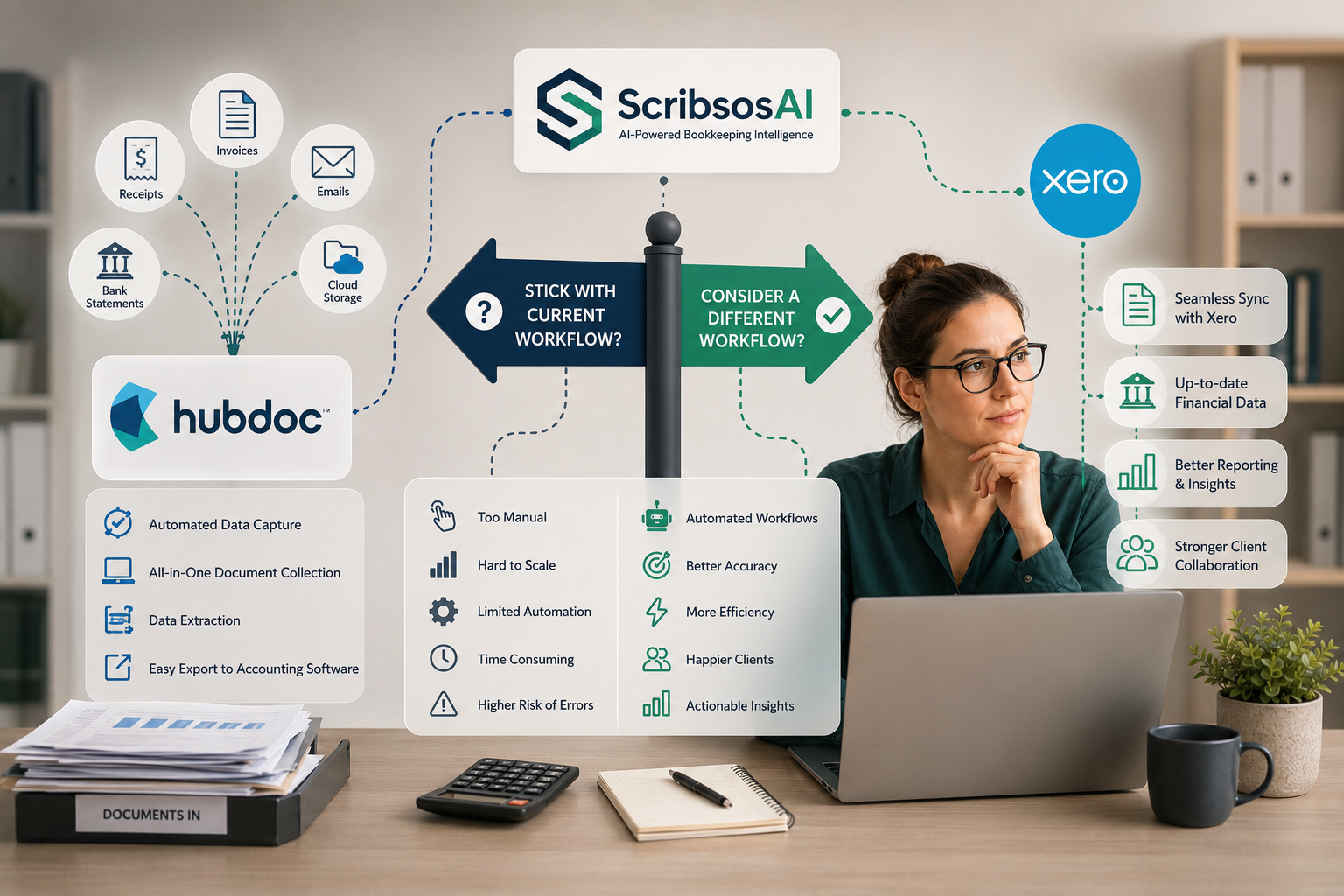
Hubdoc Alternative for QuickBooks Users: When Document Storage Is Not Enough
10 min read
Last updated: July 2026
The best Hubdoc alternative for QuickBooks-focused bookkeepers is a tool that goes beyond document storage: client-specific intake, automatic sorting by month and type, receipt and invoice extraction, review before posting, and QuickBooks-ready data preparation. ScribeosAI is built for that workflow — flat pricing, unlimited clients, no per-client fees.
Hubdoc is a familiar name for many bookkeepers, accountants, and small businesses. It helps collect and store bills, receipts, invoices, and other financial documents. For many teams, that is useful. A central place for source documents is much better than documents scattered across email inboxes, paper folders, phone photos, and vendor portals.
But some QuickBooks users eventually need more than document storage.
They need a workflow that helps collect documents from each client, sort receipts and invoices, organize files by month, extract key details, review the information, and prepare clean data before it reaches QuickBooks.
That is when firms start looking for a Hubdoc alternative.
The goal is not to say Hubdoc is wrong for everyone. The better question is:
Does your current document workflow make bookkeeping easier, or does your team still spend too much time sorting, reviewing, and chasing documents?
This guide explains what QuickBooks users and bookkeepers should consider before choosing a Hubdoc alternative.
Why QuickBooks Users Look for a Hubdoc Alternative
Most firms do not look for a new document tool just because they want another app.
They look because the current process still has friction.
For bookkeepers and QuickBooks users, that friction often looks like:
- Receipts and invoices arriving late
- Documents coming through too many channels
- Client files getting mixed together
- Manual sorting by month and document type
- Bills, invoices, and receipts sitting in the same folder
- Too much review work before QuickBooks
- Difficulty tracking what is missing
- Unclear handoff from document storage to bookkeeping work
Document storage is helpful, but storage alone does not always solve the full workflow.
A folder full of documents is better than missing documents. But someone still has to open each file, identify what it is, check the details, decide what needs to happen, and prepare the information for QuickBooks.
That is where some firms need a more workflow-focused option.
Start With the Real Problem
Before choosing a Hubdoc alternative, first define the problem you are trying to solve.
Are you trying to collect documents from clients more consistently?
Are you trying to stop receipts and invoices from landing in one shared inbox?
Are you trying to reduce manual sorting?
Are you trying to extract invoice and receipt details?
Are you trying to review documents before they go into QuickBooks?
Are you trying to track missing documents before month-end?
These are different problems.
If your main need is document storage, Hubdoc may already solve a large part of the issue.
But if your team still spends time chasing clients, sorting files, reviewing messy documents, and preparing data manually, then the bigger problem is workflow.
For bookkeepers, the real goal is not just storing receipts and invoices. The goal is getting clean, reviewed documents into the right place before the books are closed.
1. Client-Specific Intake Matters
One common problem with document collection is mixed intake.
If multiple clients send receipts and invoices to the same inbox or shared upload process, someone on the bookkeeping team has to sort everything manually.
That creates confusion.
Two clients may use the same vendors. Two clients may send similar-looking Amazon, Home Depot, or supplier invoices. If documents are not routed properly from the start, the team has to spend time figuring out which client each file belongs to.
A good Hubdoc alternative for bookkeepers should support cleaner client intake.
With ScribeosAI, each client can have a unique intake email address. That means each client can send receipts, invoices, bills, and supporting documents to their own dedicated email address.
Those documents then go directly into that client's processing folder.
This reduces the risk of mixed client documents and gives the bookkeeping team a cleaner starting point.
2. Document Sorting Should Not Be Fully Manual
Once documents are collected, they still need to be sorted.
A client may send:
- Receipts
- Vendor invoices
- Bills
- Credit card statements
- Bank statements
- Reimbursement receipts
- Credit memos
- Payroll reports
- Supporting documents
If all documents land in one folder, the bookkeeper still has to open each file and decide what it is.
That is not scalable.
A stronger document workflow should help classify and organize documents before review begins.
ScribeosAI can classify documents by type and organize them into month-specific folders with up to 92% accuracy in current workflows. This helps reduce the manual work of opening every file, identifying whether it is a receipt, bill, invoice, or supporting document, and moving it to the correct place.
The bookkeeper still reviews the output, but the first layer of sorting becomes faster and more consistent.
For firms managing many clients, that difference matters.
3. Storage Is Useful, but Review Is Where Bookkeeping Happens
A document storage system helps keep files in one place.
But bookkeeping requires more than storing files.
Before information reaches QuickBooks, bookkeepers often need to review:
- Vendor name
- Date
- Amount
- Sales tax
- Invoice number
- Due date
- Document type
- Payment status
- Duplicate status
- Category or account
- Customer, class, location, or project
This review step matters because documents do not always tell the full story.
A vendor invoice may already be paid. A receipt may be duplicated. A statement may look like a bill. A transaction may need client context before it can be categorized correctly.
A good Hubdoc alternative should support review before QuickBooks, not just document storage.
The bookkeeper should stay in control of what gets posted, matched, or attached.
4. QuickBooks Workflow Fit Is Critical
QuickBooks users should evaluate a Hubdoc alternative based on how well it supports the work before QuickBooks.
Ask questions like:
- Can each client send documents into a clean intake flow?
- Can receipts, bills, and invoices be separated?
- Can documents be organized by month?
- Can key fields be extracted?
- Can the team review before posting?
- Can missing documents be identified?
- Can source documents stay attached or available for reference?
- Can the workflow support multiple clients?
The best document management tool is not just the one that stores documents.
It is the one that helps the bookkeeping team move from document collection to reviewed QuickBooks-ready data with less manual work.
That is why QuickBooks document management should be evaluated as a workflow, not just a filing system.
5. Missing Document Visibility Matters
One of the biggest hidden costs in bookkeeping is missing-document follow-up.
A client may send some receipts, but not all. A vendor invoice may be missing. A bill may be sitting in a portal. A statement may arrive late.
If the team only discovers this at month-end, the close gets delayed.
A better workflow helps bookkeepers see what has arrived, what needs review, and what is still missing.
This allows the firm to send specific follow-ups.
Instead of:
"Please send your missing receipts."
The bookkeeper can say:
"We are missing receipts for Amazon on June 8, Home Depot on June 12, and Delta on June 14."
Specific requests are easier for clients to act on.
That is the difference between chasing documents and managing a document workflow.
6. Compare Hubdoc Alternatives by Workflow, Not Just Features
Feature lists can be helpful, but they do not always show how the tool works day to day.
When comparing Hubdoc alternatives, look at the actual workflow.
Ask:
- How does the client submit documents?
- Where do documents land?
- Are files automatically routed to the right client?
- Are receipts, invoices, and bills separated?
- Can documents be organized by month?
- How easy is review?
- What happens when the extracted data is wrong?
- Can the team spot duplicates?
- Can the team track missing documents?
- How does the workflow prepare data for QuickBooks?
Two tools may both say they support document capture, storage, and QuickBooks. But the experience for the bookkeeping team may be very different.
The right choice is the one that reduces friction for both the client and the bookkeeper.
7. When ScribeosAI May Be a Good Hubdoc Alternative
ScribeosAI may be a good fit for QuickBooks users and bookkeepers who need a more operational document workflow.
It is built for bookkeepers, accountants, CPA firms, QuickBooks users, and small businesses that need to manage receipts, invoices, bills, and supporting documents before data reaches QuickBooks.
ScribeosAI helps teams:
- Give each client a unique intake email address
- Route client documents into the correct processing folder
- Collect receipts, invoices, bills, and supporting files in one place
- Sort documents by type and month
- Extract key details from receipts and invoices
- Review before posting
- Prepare clean data for QuickBooks
- Reduce client follow-up and manual sorting
This makes ScribeosAI useful when the problem is not just storing documents, but managing the workflow around those documents.
Hubdoc vs ScribeosAI: Practical Difference
Hubdoc is often useful when the priority is collecting and storing source documents.
ScribeosAI is focused on helping bookkeepers manage the process before QuickBooks: client-specific intake, automatic sorting, extraction, review, and QuickBooks-ready preparation.
A simple way to think about it:
Choose Hubdoc if your main need is a familiar document collection and storage tool and your current workflow already works well.
Consider ScribeosAI if your firm needs more help with:
- Client-specific intake
- Receipt, bill, and invoice sorting
- Month-specific organization
- Document extraction
- Review before QuickBooks
- Missing document follow-up
- Multi-client bookkeeping workflows
If Hubdoc already solves the problem for your firm, there may be no reason to change.
But if your team still spends too much time sorting client documents, looking for missing receipts, or preparing files manually before QuickBooks, it may be worth comparing alternatives.
Other Tools to Compare
ScribeosAI is not the only Hubdoc alternative.
QuickBooks users often compare several tools, including:
- Dext
- AutoEntry
- Expensify
- QuickBooks native receipt capture
- Other receipt and invoice processing tools
Each tool has a different strength.
Dext is often used for receipt and invoice capture.
AutoEntry may be useful for reducing manual data entry from receipts, invoices, bills, and statements.
Expensify may fit employee expense reports and reimbursements.
QuickBooks native receipt capture may be enough for small businesses with low receipt volume.
These related guides may help if you are comparing document collection, receipt capture, and QuickBooks workflows:
- Dext vs Hubdoc
- Dext vs Hubdoc vs AutoEntry
- Best receipt scanner for QuickBooks
- Receipt scanner for bookkeepers
- Dext alternative for QuickBooks
FAQ
What is the best Hubdoc alternative for QuickBooks?
The best Hubdoc alternative depends on your workflow. If you need client-specific intake, document sorting, extraction, review before QuickBooks, and receipt and invoice processing for bookkeeping clients, ScribeosAI is a strong option to consider.
Why would a bookkeeper look for a Hubdoc alternative?
A bookkeeper may look for a Hubdoc alternative if document storage alone is not enough. Some firms need better client intake, automatic sorting, missing document visibility, review workflow, and QuickBooks-ready document processing.
Is ScribeosAI a Hubdoc alternative?
Yes. ScribeosAI can be considered a Hubdoc alternative for QuickBooks users who want to collect, sort, extract, review, and prepare receipts, invoices, bills, and supporting documents before sending clean data into QuickBooks.
Does a Hubdoc alternative still need human review?
Yes. Bookkeepers should still review vendor, date, amount, tax, document type, duplicate status, and category before information reaches QuickBooks.
What should QuickBooks users look for in a Hubdoc alternative?
QuickBooks users should look for easy document intake, client-specific routing, automatic sorting, extraction accuracy, review workflow, missing document visibility, QuickBooks preparation, and pricing that works as the firm grows.
Final Thoughts
Hubdoc can be useful for collecting and storing financial documents.
But for some QuickBooks users and bookkeeping firms, document storage is only part of the problem.
The harder work is getting documents from the right client, sorting them by type and month, extracting useful details, reviewing the information, and preparing clean data before it reaches QuickBooks.
A good Hubdoc alternative should help with that workflow.
ScribeosAI is built for bookkeepers, accountants, CPA firms, and QuickBooks users who need a cleaner way to manage receipts, invoices, bills, and supporting documents before the books are closed.