Receipt Request Email Templates for Clients: 7 Copy-Paste Scripts for Bookkeepers
11 min read
Last updated: July 2026
If you manage QuickBooks clients, you should not have to rewrite the same receipt request email every month. Late receipts delay categorization, reconciliation, cleanup, and month-end close.
This page gives bookkeepers and small CPA firms ready-to-send receipt request email templates for common client situations: gentle reminders, month-end deadlines, repeat offenders, new-client expectations, cleanup projects, missing invoice support, and final close warnings.
The best receipt request email is specific, deadline-driven, and tied to the bookkeeping work that cannot be completed until the client sends the missing documents.
For the broader workflow behind this, see our guide on how to stop chasing clients for receipts. This page is the script library.
How to use these receipt request email templates
Before copying a template, decide what you need from the client.
Do you need receipts? Vendor invoices? Bank statements? Credit card statements? Loan documents? Payroll reports? Sales reports? Proof of payment? The more specific you are, the less back-and-forth you create.
Use this table to choose the right template.
| Client situation | Use this template | Best tone | Deadline style |
|---|---|---|---|
| Client is usually responsive | Gentle receipt nudge | Friendly and light | Soft deadline |
| Month-end is approaching | Month-end deadline email | Clear and direct | Firm deadline |
| Client repeatedly sends late receipts | Repeat offender email | Professional and firm | Recurring expectation |
| New client onboarding | New-client expectations email | Helpful and structured | Process-based |
| Cleanup or catch-up project | Cleanup document request | Detailed and organized | Batch deadline |
| Missing invoice or receipt support | Missing support request | Specific and transactional | Item-level deadline |
| Books are about to close | Final close warning | Direct and documented | Final cutoff |
Template 1: Gentle receipt request email
Use this when the client is usually cooperative and you only need a light nudge.
Subject line: Quick receipt reminder for [Month]
Hi [Client Name],
I'm working on your [Month] bookkeeping and noticed we're still missing a few receipts or supporting documents.
Could you please send any receipts, invoices, or backup for the transactions below?
- [Transaction 1 — date/vendor/amount]
- [Transaction 2 — date/vendor/amount]
- [Transaction 3 — date/vendor/amount]
Once I have these, I can finish categorizing the transactions and keep your books moving toward close.
Please send them by [Date] if possible.
Thank you, [Your Name]
Template 2: Month-end receipt deadline email
Use this when close is coming up and you need the client to act by a specific date.
Subject line: Receipt deadline for [Month] close: [Date]
Hi [Client Name],
We're preparing to close your books for [Month]. To complete the month-end review, I need all missing receipts, invoices, and supporting documents by [Deadline Date].
Please send documents for:
- Uncategorized transactions
- Vendor purchases without receipts
- Credit card charges without backup
- Reimbursable expenses
- Any invoices or bills not already sent
If documents are not received by [Deadline Date], we may need to leave certain items uncategorized, post them based on available information, or move them to a follow-up list for next month.
Sending everything by the deadline helps us complete your reconciliation and reporting on time.
Thank you, [Your Name]
Template 3: Repeat offender receipt request email
Use this when a client regularly sends receipts late, sends screenshots one at a time, or waits until you chase them.
Subject line: Receipt process for cleaner monthly books
Hi [Client Name],
I want to tighten up the monthly receipt process so your books stay accurate and we avoid last-minute cleanup.
Each month, please send receipts, invoices, and supporting documents by [Monthly Deadline]. This includes:
- Receipts for business purchases
- Vendor invoices and bills
- Credit card charge backup
- Loan or financing documents
- Any mixed-use or unusual transactions that need explanation
When documents come in after the close deadline, it can delay reconciliation, reporting, and cleanup. It also increases the chance that we need to revisit transactions later.
Going forward, I'll send one reminder before the deadline and one final note if anything is still missing. If documents are not received by the cutoff, we'll close the month using the information available and flag open items separately.
Thanks for helping keep the process clean, [Your Name]
Template 4: New-client receipt expectations email
Use this during onboarding so the client knows how documents should be sent before problems start.
Subject line: How to send receipts and documents each month
Hi [Client Name],
Welcome aboard. To keep your bookkeeping clean and your month-end close on schedule, here is how we'll handle receipts and supporting documents each month.
Please send the following by [Monthly Deadline]:
- Receipts for business purchases
- Vendor invoices and bills
- Bank and credit card statements, if requested
- Loan, lease, or financing documents
- Payroll reports, if applicable
- Sales reports or merchant processor reports, if applicable
- Notes for unusual, personal, or mixed-use transactions
Please avoid sending receipts across multiple text threads, personal inboxes, or separate one-off messages when possible. A consistent process helps us review documents faster and reduces the chance that something gets missed.
For each month, we'll review the documents, match them to transactions, flag anything unclear, and follow up on missing items before close.
Thanks, [Your Name]
Template 5: Cleanup project document request email
Use this when you are cleaning up messy books or catching up several months of backlog.
Subject line: Documents needed for bookkeeping cleanup
Hi [Client Name],
We're starting the cleanup for your books covering [Date Range]. To move efficiently, please send the documents below in one batch or organized by month.
Documents needed:
- Bank statements for [Date Range]
- Credit card statements for [Date Range]
- Receipts for major purchases
- Vendor invoices and bills
- Loan statements or financing agreements
- Payroll reports
- Sales reports or POS summaries
- Merchant processor reports
- Prior tax returns, if needed
- Notes for any owner draws, personal expenses, transfers, or unusual transactions
For cleanup work, missing documents can slow down reconciliation and create open questions that need to be resolved later.
Please send everything available by [Date]. If something is not available, let me know so we can document the gap and decide how to handle it.
Thank you, [Your Name]
For a deeper cleanup workflow, use this with our bookkeeping cleanup checklist.
Template 6: Missing receipt or invoice support email
Use this when you need backup for specific transactions instead of a general document request.
Subject line: Missing support for specific transactions
Hi [Client Name],
I'm reviewing your [Month] transactions and need support for the items below before I can finish the review.
| Date | Vendor | Amount | What I need |
|---|---|---|---|
| [Date] | [Vendor] | [$Amount] | Receipt or invoice |
| [Date] | [Vendor] | [$Amount] | Business purpose |
| [Date] | [Vendor] | [$Amount] | Category or class confirmation |
Please send the receipt, invoice, or explanation for each item by [Date].
If you do not have a receipt for a transaction, please reply with the business purpose and any details you remember. That will help us decide how to document it.
Thank you, [Your Name]
Template 7: Final close warning email
Use this when you have already followed up and need to document the cutoff.
Subject line: Final request before closing [Month] books
Hi [Client Name],
This is the final request for missing receipts and supporting documents before we close your [Month] books.
We are still missing support for:
- [Item 1]
- [Item 2]
- [Item 3]
Please send these by [Final Deadline].
If we do not receive the documents by then, we will close the month using the information available and keep the missing items on the follow-up list. Any late documents may require an adjustment or cleanup entry in a later period.
I want to make sure you have a final chance to send anything that should be included before close.
Thank you, [Your Name]
A simple receipt request workflow for bookkeeping firms
The templates above work best when they are part of a repeatable process.
Here is a clean monthly workflow for bookkeepers managing multiple QuickBooks clients.
| Step | What the bookkeeper does | Why it matters |
|---|---|---|
| 1. Set the document deadline | Tell each client when receipts are due | Prevents vague "send when you can" follow-up |
| 2. Pull transaction questions | Review uncategorized or unsupported transactions | Keeps requests specific |
| 3. Send one organized request | Batch missing items into one email | Reduces scattered replies |
| 4. Track what came in | Mark received, missing, unclear, or duplicate | Prevents repeat chasing |
| 5. Review before posting | Check vendor, amount, class, category, and confidence | Keeps bad data out of QuickBooks |
| 6. Push only clean items | Sync reviewed transactions to QuickBooks | Protects reconciliation and close quality |
| 7. Keep an open-items list | Document what is still missing | Creates a clean audit trail |
This is where a client document collection workflow matters. Email templates help you ask for documents. A workflow helps you collect, review, and post them without losing track.
What to include in every receipt request email
A good receipt request email should answer five questions:
- What documents are missing?
- What transactions are affected?
- When are the documents due?
- What happens if they are late?
- How should the client send them?
Avoid vague messages like:
"Can you send your receipts?"
That forces the client to guess what you need.
Use specific language instead:
"Please send receipts or invoice support for the three transactions below by Friday so I can complete the month-end review."
That tells the client what to do, when to do it, and why it matters.
Mistakes to avoid when requesting receipts from clients
Mistake 1: Asking too broadly
A broad request creates broad replies.
Instead of asking for "all receipts," list the missing transactions or document categories. If you need every receipt for a cleanup period, say that clearly and give the date range.
Mistake 2: Sending too many one-off requests
Clients ignore scattered follow-ups.
Batch your questions into one organized request whenever possible. For active monthly bookkeeping, send one pre-close reminder and one final close reminder.
Mistake 3: Not setting a deadline
Without a deadline, the client controls your close schedule.
Use a clear date. For example:
"Please send these by May 5 so we can complete April close on time."
Mistake 4: Not explaining the bookkeeping impact
Clients often do not understand why one missing receipt matters.
Tell them what is blocked: categorization, class tracking, reconciliation, cleanup, reimbursement support, or month-end reporting.
Mistake 5: Letting late documents silently change the process
If the client sends documents after close, document how you will handle them.
Late receipts may need to be reviewed in the next period, added to an open-items list, or handled through cleanup work.
Where automation helps
Email templates help you get the documents. They do not solve the full bookkeeping workflow.
Once receipts and invoices come in, the real work starts:
- Extracting vendor, date, amount, tax, line items, and totals
- Checking low-confidence fields
- Matching documents to transactions
- Avoiding duplicate entries
- Reviewing categories, classes, and vendors
- Posting clean data to QuickBooks
ScribeosAI is built for QuickBooks-first receipt and invoice automation for bookkeepers and small CPA firms. The workflow is:
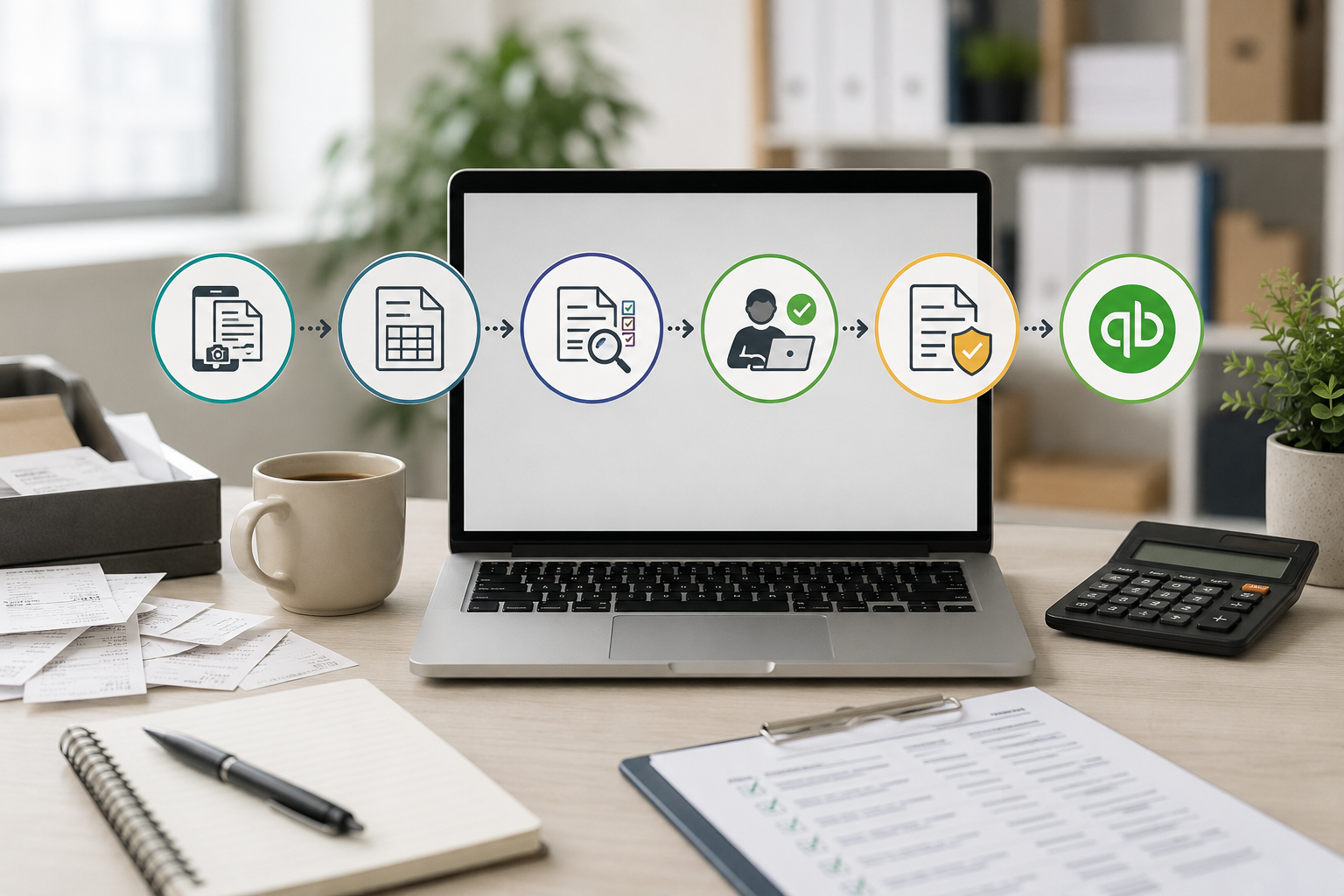
client document collection → AI extraction with line items and confidence scoring → human review → duplicate detection → QuickBooks sync
That matters because client documents should not go straight into QuickBooks without review. Bookkeepers still need control before anything affects the books.
ScribeosAI is a strong fit when your firm manages multiple QuickBooks clients and wants flat pricing with unlimited clients, no per-client fees, line-item extraction included, and a review-before-post workflow.
It may not be the right fit if you only manage one small client with very low receipt volume, or if you want a general expense management tool for employee reimbursements rather than a bookkeeping workflow.
Where human review still matters
Automation should reduce manual entry, not remove bookkeeping judgment.
A bookkeeper still needs to review:
- Chart of accounts mapping
- Class or location tracking
- Vendor naming consistency
- Mixed personal and business expenses
- Duplicate receipts or duplicate bills
- Unusual transactions
- Missing business purpose
- Sales tax or line-item details
- Month-end open items
This is why review-before-post matters. The goal is not to push every extracted field into QuickBooks automatically. The goal is to reduce typing while keeping the bookkeeper in control.
Proof: what changes when receipt work is structured
VNB Consulting reduced manual data entry time by nearly 90% using ScribeosAI.
That result came from changing the workflow around receipt and invoice handling: collect documents, extract the data, review the details, check for duplicates, and then sync to QuickBooks.
Diya Hospitality is also a named ScribeosAI customer.
If your firm is still chasing receipts by email and then manually entering the same data into QuickBooks, the templates above can improve the front end of the process. ScribeosAI helps with what happens after the documents arrive.
When ScribeosAI is a good fit
ScribeosAI is worth testing if your firm:
- Manages multiple QuickBooks clients
- Handles recurring receipt or invoice volume
- Needs line-item extraction
- Wants a human review step before QuickBooks posting
- Wants duplicate detection before pushing data
- Wants flat pricing with unlimited clients
- Does not want per-client software fees to grow as the firm adds clients
It is especially useful when client receipt collection is not the only problem. If your team also spends time entering, reviewing, correcting, and syncing receipt data, templates alone will not fix the workflow.
When templates may be enough
You may not need automation yet if:
- You manage only a few low-volume clients
- Most clients already send clean documents on time
- Receipt entry does not take meaningful staff time
- You are not posting many bills, receipts, or invoices into QuickBooks
- Your current process already catches duplicates and review issues
In that case, start with the templates. Tighten the client process first. Add automation when document volume or client count makes manual work too expensive.
Final takeaway
Receipt request emails should not be improvised every month.
Use a small set of repeatable templates, tie each request to a clear deadline, explain what bookkeeping work is blocked, and keep an open-items list for anything missing after close.
For bookkeepers and small CPA firms, the best process is simple: ask clearly, collect consistently, review carefully, and only push clean data into QuickBooks.
FAQ
How do I ask a client for missing receipts?
Ask for missing receipts by listing the specific transactions, giving a deadline, and explaining what bookkeeping work is blocked. A good request includes the date, vendor, amount, and what support you need.
What should I include in a receipt request email?
Include the missing documents, affected transactions, deadline, preferred submission method, and what happens if the documents are not received before close.
How often should bookkeepers remind clients about receipts?
Most bookkeeping firms should send one reminder before the monthly deadline and one final request before close. More frequent reminders can train clients to wait for repeated chasing.
What should I say to clients who always send receipts late?
Set a recurring monthly deadline, explain how late documents affect reconciliation and reporting, and document that late receipts may be handled in the next period or added to an open-items list.
Should bookkeepers close the month without missing receipts?
Sometimes, yes. If the deadline has passed, the bookkeeper may close using available information and keep missing documents on an open-items list. The policy should be explained to the client in advance.
How can I stop chasing clients for receipts?
Use a consistent document collection process, monthly deadlines, clear email templates, and a review workflow. Automation can help once documents arrive by extracting data, flagging low-confidence fields, checking duplicates, and syncing reviewed items to QuickBooks.
Can I use the same receipt request email for every client?
You can use the same structure, but the details should change by client. The best emails include specific missing transactions, deadlines, and document types.
Where does ScribeosAI fit in the receipt request process?
ScribeosAI fits after clients send receipts and invoices. It helps extract line items, show confidence scores, support human review, detect duplicates before posting, and sync reviewed data to QuickBooks.